MSTC Mineral Resources Registration
Participation in MSTC mineral e-auctions requires a professional approach. Please ensure your registration details are accurate and complete, as this is essential for building trust and compliance with government protocols.
The registration process is designed for every eligible entity, yet each application is personally reviewed for compliance. This ensures a transparent and fair opportunity for all stakeholders in the mineral resources sector.
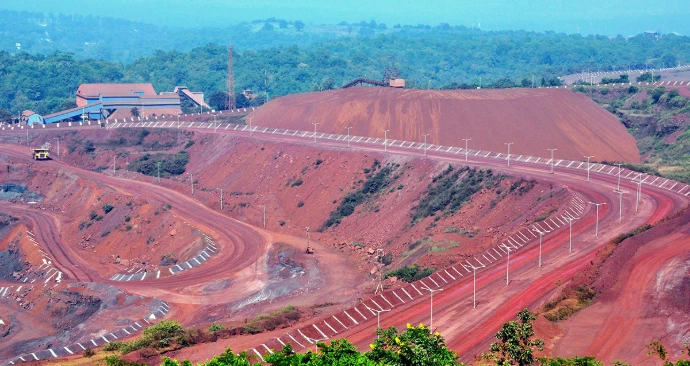
To participate, you must register as a Buyer under the Mineral Resources segment
Step 1: Visit Official MSTC Portal
👉 https://www.mstcecommerce.com
Click “Register”
Select Buyer Registration
Choose Mineral Resources / Coal / Iron Ore / Minor Minerals (as applicable)
Step 2: Choose Entity Type
You must select the correct constitution:
Proprietorship
Partnership / LLP
Private Limited / Public Limited
Individual (rarely allowed for minerals)
⚠️ Wrong entity selection leads to rejection or blacklisting risk.
Step 3: Documents Required (Mandatory)
A. Business Documents
PAN Card (Firm / Company)
GST Registration Certificate
Certificate of Incorporation / Partnership Deed
MSME / Udyam Certificate (optional but recommended)
Mining License / Trade License (if applicable)
B. Authorized Signatory
Aadhaar Card
PAN Card
Mobile & Email (linked with Aadhaar)
C. Banking Details
Cancelled Cheque
Bank Account Details (Name must match entity)
D. Digital Signature Certificate (DSC)
Class 3 DSC (Signing + Encryption)
In the name of Authorized Signatory
Mandatory for bidding & payments
Step 4: Online Form Filling
Fill entity & contact details
Upload documents (PDF, clear & legible)
Map DSC with MSTC portal
Submit application
Step 5: MSTC Verification & Approval
MSTC reviews documents
May raise queries / clarification
Approval timeline: 2–5 working days
📩 Approval confirmation comes via registered email
Step 6: Segment Activation (Very Important)
Registration alone is not enough.
You must:
Apply for specific mineral / state auction
Accept auction-specific terms
Deposit EMD (Earnest Money Deposit)
Only after this → Live bidding access is enabled
Step 7: Participate in Live Mineral Auction
Once approved:
Login → Buyer Dashboard
Select Auction → Pay EMD
Enter Live Bid
Post-auction → Pay Sale Value → Lifting & Transit
Common Mistakes to Avoid
❌ Wrong GST category
❌ DSC not mapped correctly
❌ Name mismatch in bank & GST
❌ Ignoring state-specific eligibility rules
❌ Missing environmental / mining compliance

Our latest content
Check out what's new in our company !